
Why Did My YouTube Views Drop
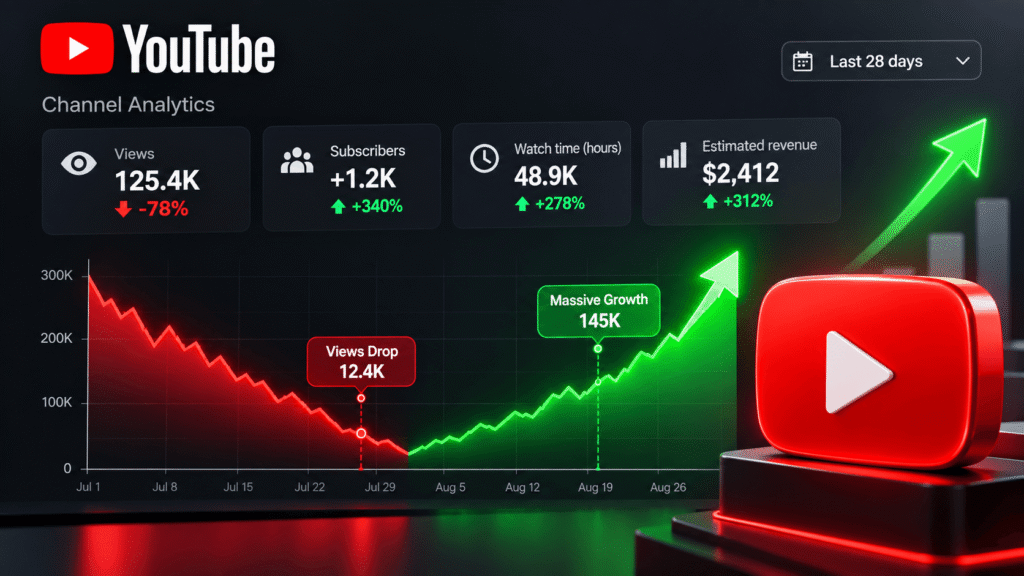
Why Did Your YouTube Views Suddenly Drop to Zero? (2026 Algorithm Breakdown)
If you woke up this morning, opened your YouTube Studio app, and saw a steep cliff in your real-time analytics chart, you are not alone. There is nothing more frustrating than spending ten hours editing a video, only to watch it get stuck at 20 views while your impressions flatline completely.
A sudden drop in YouTube views usually triggers instant panic. Creators immediately wonder: Did YouTube shadowban my channel? Did I break a community guideline? Or did the algorithm completely forget my channel exists?
The short answer? The YouTube algorithm didn’t break—it shifted. YouTube’s search and recommendation system has evolved significantly. The algorithm no longer recommends videos based on channel size or historical upload counts. Instead, it tests every new video against a micro-bucket of viewers based on real-time satisfaction, click-through rate (CTR), and viewer return rate.
At TubeCheckers, we audited over 500 creator channels to pinpoint exactly why views plummet—and more importantly, how you can revive a stagnant channel in 48 hours.
5 Most Common Reasons Your YouTube Views Plunged
Before you delete videos or start a brand new channel, identify which of these five core issues is throttling your reach:
- The “Subscriber Burnout” Trap: If your loyal subscribers stop clicking on your newest uploads within the first 2 hours, YouTube interprets this as a negative quality signal. The algorithm stops pushing your video to broader “Suggested” and homepage feeds.
- Outdated Video Metadata: Vague titles and missing description keywords make it impossible for YouTube’s search engine to index your video. If YouTube doesn’t know who your video is for, it won’t show it to anyone.
- Shorts Feed vs. Long-Form Divide: If you recently posted a viral YouTube Short, you might have gained thousands of subscribers who only watch 15-second vertical clips. When you upload a 10-minute horizontal video, those subscribers swipe past it, hurting your long-form Click-Through Rate.
- Seasonal & Niche Search Shifts: Search volume naturally fluctuates. Gaming, finance, and tech niches experience seasonal dips during back-to-school periods, holidays, or major industry news cycles.
- Algorithmic Suppression or Shadowban: Reusing copyrighted clips, posting repetitive automated content, or using blacklisted tags can cause YouTube’s safety filters to limit your search indexing. Check your visibility status instantly using our free YouTube Shadowban Detector.
How YouTube Tests Your Videos in 2026 (The Recommendation Lifecycle)

To fix your view drop, you need to understand how YouTube distributes your content the moment you hit “Publish”:
- Test Phase 1 (First 2 Hours): YouTube shows your video thumbnail to your most active subscribers and notification bell openers. If your CTR is above 8% and Average Duration (AVD) is above 50%, it passes to Phase 2.
- Test Phase 2 (2 to 24 Hours): YouTube expands impressions to non-subscribers who watched similar topics recently. This is where your video enters “Suggested Videos” sidebars.
- Test Phase 3 (Evergreen Search Indexing): If your video has structured metadata, YouTube indexes it in search results. This is how videos generate steady passive views for months or years.
If your video fails Test Phase 1 because of a weak title or thumbnail, YouTube cuts off impressions immediately. The good news? You can revive a dead video simply by changing its metadata and thumbnail hook.
4 Actionable Steps to Revive Your Views & Traffic
Follow this exact recovery checklist to get your impressions moving upward again:
- Audit Your Channel Health Score: Run your channel through our YouTube Channel Audit Tool to evaluate your metadata quality, upload consistency, and subscriber-to-view ratios.
- Package Your Video with High-CTR Headlines: Front-load target search terms into the first 60 characters of your title. Use our YouTube Title Generator to generate curiosity-driven headlines.
- Re-Write Your Video Description: Write a structured 200+ word overview using our YouTube Description Generator. Include primary search keywords, 00:00 chapter timestamps, and relevant links to help YouTube index your video accurately.
- Steal Low-Competition Competitor Tags: Inspect top-ranking videos in your niche and extract their search tags using the YouTube Tag Extractor. Then, build a clean 500-character tag box with our YouTube Tag Generator.
Should You Delete or Unlist Low-Performing Videos?
A common mistake creators make when views drop is deleting low-view videos. Do not delete old videos. Deleting videos erases accumulated watch time from your channel history, which can negatively impact your overall channel authority and monetization status.
Instead, if an old video performed poorly, update its title, swap out the thumbnail image (download inspiration with our YouTube Thumbnail Downloader), and update the description. YouTube re-indexes videos whenever metadata is updated.
Track Your Channel Recovery Real-Time
As you apply these metadata fixes and publish new content, monitor your channel velocity in real time. Use our Live Subscriber Counter to track subscriber shifts during uploads, project future growth with the YouTube Growth Calculator, and estimate your ad revenue bounce-back using the YouTube Earnings Calculator.
Explore More Free YouTube Growth Utilities
The YouTube View Drop Fix Guide is part of the free TubeCheckers Ultimate YouTube Toolkit. Benchmark and optimize your channel performance with our full suite of free creator tools:
- YouTube Shadowban Detector: Check if your channel or videos are algorithmically suppressed.
- YouTube Channel Audit Tool: Get a 360-degree channel health score out of 100.
- YouTube Keyword Research Tool: Discover high-demand, low-competition search phrases.
- YouTube Video Idea Generator: Brainstorm click-worthy video topics tailored to your niche.
- YouTube CPM Calculator: Compare ad payout rates across 50+ countries.
- YouTube Monetization Checker: Verify monetization status for any YouTube channel.